
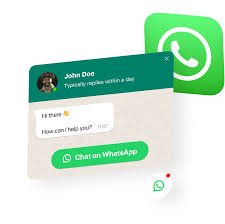
WhatsApp Floating Button Plugin – Make Your Website Interactive
WhatsApp Floating Button is a WordPress plugin that allows you to add a floating WhatsApp chat button on your website. This plugin helps website owners connect with visitors instantly, increase engagement, and provide customer support directly via WhatsApp.
It is fully customizable, mobile-friendly, and works with any WordPress theme.
🔥 Key Features
- Floating Chat Button – Appears on any page and stays visible while scrolling.
- Custom Position – Place the button on left, right, top, or bottom corners.
- Custom WhatsApp Number – Connect any WhatsApp number for direct messaging.
- Predefined Messages – Add default text that users will send automatically.
- Responsive Design – Works perfectly on mobile, tablet, and desktop.
- Multiple Buttons – Add different WhatsApp numbers for different pages.
- Custom Icons & Colors – Match your branding and website style.
- Lightweight & Fast – Optimized for performance without slowing down your website.
💡 Why Use WhatsApp Floating Button Plugin?
- Make it easy for visitors to contact you instantly
- Increase customer engagement and leads
- Ideal for eCommerce, service providers, agencies, and freelancers
- Works with any WordPress theme and page builder
⚠️ Important Note
This plugin is freemium. Some advanced features (like multiple numbers, custom icons, and analytics) may require Pro or premium versions. Always download from official WordPress repository or licensed sources.

14 Responses
What’s the word? 777tiger777 is up next on my exploration list. A bit extra with the three 7’s, but maybe it’s a lucky charm. I’ll let you know! 777tiger777
Hey guys, just checked out 777wim. Honestly, it’s pretty decent. Nothing groundbreaking, but a solid option if you’re looking for something new. I found a few cool games there. Give it a shot!
Alright, I stumbled upon 80wim the other day. The sign-up process could be smoother, but the overall experience is good. Their selection of sports is impressive.
Filbet casino login was surprisingly easy. Didn’t have any issues, which is always a plus. Check it out if you’re looking for something new: filbet casino login
Jaya77login, here I come! Ready to test my luck and hopefully score some serious cash. Fingers crossed, this site delivers. Try your luck at jaya77login!
LKIWIN! Sounds promising. Gonna give it a whirl and see if I can turn that luck around. Maybe this is the one. Check it out: lkiwin